
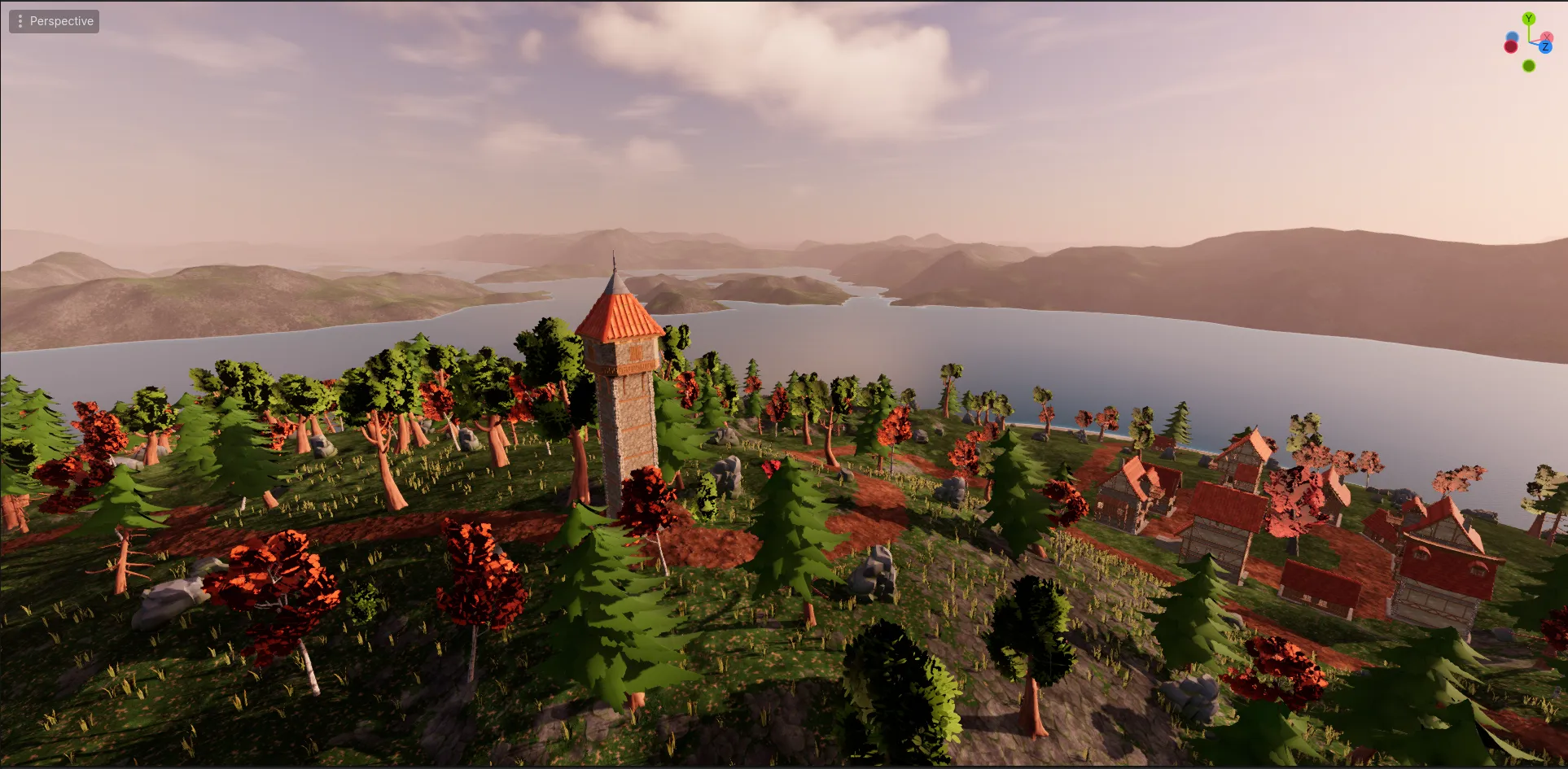
Overview
My game, referred to by the placeholder title FRPG, is a cooperative action RPG I’ve been developing in Godot with C#. The goal is to combine the deliberate combat of a souls-like with the “use it to improve it” style of character progression from games like Mount & Blade in short sessions structured like a tabletop RPG adventure. Players explore a semi-open environment, fight enemies, develop their skills and magic, and eventually tackle larger encounters together.
The game has become my largest software project, allowing me to work through problems in networking, combat systems, animation and mocap, input handling and buffering, state management, and custom tooling that I wouldn’t encounter in my smaller projects. It has been a great lesson in iteration and designing systems to be modular, reusable components. This project is still in active development, so the systems described here represent pieces of the current state of development rather than a finished game.
Why This Project?
I included FRPG in my portfolio because it is the environment where I have worked through the largest and most interconnected engineering problems in my development experience. This is the project that has inspired many of my smaller tools whenever I encountered a problem in the workflow. Unlike those smaller tools, where I can design around relatively well-defined problems, FRPG has required systems to evolve alongside one another as the game has grown. That has made it a useful project for learning how to manage complexity and revise architecture as requirements change.
Animation Layers and Action System
The animation and action controllers are one of the component systems that are unique implementations for players and enemies. This will focus on the player’s version of the system, as it is the more complex implementation. In my game, players have set Action Slots. Each piece of equipment has an animation library that maps to that same set of action slots, such as Primary action, Secondary action, Offhand action, Jump Primary action, Guard Secondary action, etc. By making sure that each equippable item uses the same set of action slots, I can use the same rules for input intent resolution and the same animation tree. This gives the action system a consistent structure with the animation system. A sword, axe, or other weapon can provide a different animation and action data without requiring the animation system or player controller to know which specific equipment is being used. They all feature the same action slots, which is all that the system needs to know.
Player Action Controller
The PlayerActionController serves as the system that converts player input into an action slot. The appropriate
action is determined through intent resolution, which takes player input and action/state context to select the
action slot. For example, if the player left-clicks, that is mapped to the Primary action slot. If they left-click
while sprinting, that is mapped to the Sprint Primary action slot. Left-click while airborne resolves to the Jump
Primary action slot.
The action controller manages the actions that the player is performing and determines if other actions can
interrupt, cancel, or chain onto the existing action. It serves as action state management, tracking the action
category and phase, to be able to determine if an action can be performed. Since inputs are buffered, an action that
was not allowed to be performed this frame can still be performed on the next one if the current action’s state
changes. This prevents punishing the player for an input being slightly too early. The buffer is short-lived, though,
to prevent feeling restrictive or unresponsive by queuing an input that is no longer relevant after a long action plays.
Weapons of the same type share the same animation library and also share the same equipment profile. Equipment
profiles are a mapping of action slots to an ActionData.I wanted the Action Controller to be able to determine
whether an action could be performed without needing to know the details of every kind of action. So I separated the
common action information into a base ActionData resource and let more specialized action types include additional
information.
ActionData is a resource that contains metadata about the action, such as whether root motion should be used, the
action category, and the initial action phase. Action data can have more specific types, such as CombatActionData, which
contains additional information specific to combat actions, such as stamina cost, damage multiplier, damage type,
and if an action can be blocked or parried. When an action is performed, its ActionData is used to get the relevant
information about the action from its derived type. The action controller uses the base ActionData for its
information, but other systems can be given the data from the more derived type. Such as, the
CharacterResources applying the action’s stamina cost, or the CombatComponent building an
AttackContext with the action’s CombatActionData.
Player Animation Controller
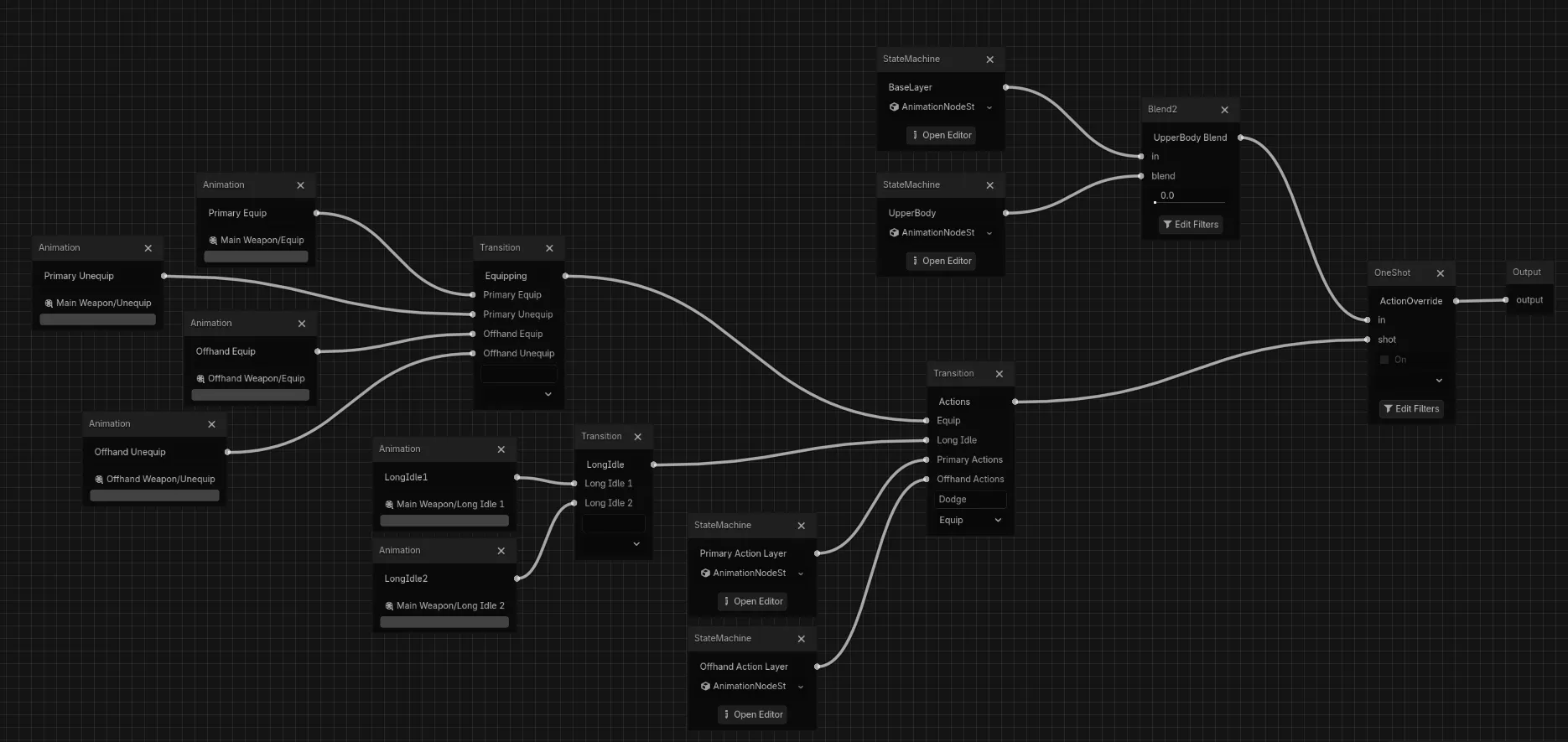 Player animation tree with blend layers
The PlayerAnimationController is used as a translation layer from the player locomotion state machine and the
action controller to Godot’s animation system, implemented as an AnimationTree. The tree is set up in a few layers.
The base layer is locomotion, which is driven by the locomotion state machine. It includes actions such as the
walk/run blend space, sprint, jump, fall, climb, and crouch. Blended onto the locomotion layer is an upper body layer.
This is for state modifiers, such as aiming, reloading, and blocking. On top of that blend output is the action override.
This is where the specific action slots play. They fire as one-shots that play over the other layers. The bulk of the
tree in the image above is the branching selection of action overrides. The action override selects the action slot
category, then the specific action slot, just to keep the tree a little more organized, rather than having a single
node transition between dozens of slots.
Character Combat System
The combat system is a set of components that are reusable between players and enemies. Any character can use combat
components. Some of these components are the CombatComponent, DamageReceiver, WeaponController, and
HurtboxComponent. The components of the damage pipeline communicate with each other through a few structs, such as
the AttackContext, HitRequest, and HitResult.
The CombatComponent holds the combat state, such as whether the character is guarding, has an
active parry window, is currently invulnerable, and the attack instance ID (used for deduping hits). It also has
methods for resolving defense from a HitRequest, checking to see if a hit was blocked, parried, rejected, or damage
applied, and a method to apply damage mitigation when a hit was blocked.
The WeaponController is the offensive side of the pipeline. Each weapon has at least one damage collider (hitbox).
When a hit is detected and a hitbox collides with a hurtbox, the WeaponController builds a HitRequest with information
about the attacker, the contact point, hit meta, and damage values. That HitRequest is sent to the DamageReceiver on
the target, through the Hurtbox.
The DamageReceiver is the defensive side of the pipeline. It receives a HitRequest and then either processes it
itself if this character is owned by the local player or sends it across the network to the owner. The owner runs
the damage pipeline. It resolves defense on the CombatComponent and gets the remaining damage, then checks with the
EquipmentManager for any armor that might mitigate damage. After damage has been mitigated, the DamageReceiver
applies damage to the target through CharacterResources. A HitResult is returned, allowing local and remote
versions to respond with hit feedback, like hit animations, VFX, and audio.
Growing the Architecture
The architecture for FRPG has been a very iterative process. I initially would try to build systems to be fully designed or future-proofed, planning them for every use case they may have in the final version. Unfortunately, this did not work out and led to a lot of wasted time and effort trying to plan for code that didn’t exist yet. Instead, I have adopted a much more iterative approach, planning for systems to be rewritten and expanded as needed. I’ve found that this approach has allowed me to work much more efficiently and effectively by just implementing the minimum necessary code to complete the current feature. Too much time was wasted attempting to future-proof, so to make faster progress, I have been working on systems knowing they will be rewritten and expanded throughout development. I have also been refraining from pre-building abstractions before they are needed. I don’t let the system expand with new data structs or abstractions until it needs to carry out more than a few pieces of information and/or is used in more than one place. This has helped me to focus more time on solving the current problems instead of designing for hypothetical ones.
Current State
The game is still in an early stage of development. I’ve completed two milestones at this point: The full character controller and the combat system. The character controller includes all of the locomotion states, dynamic climbing system, action control, animation layering, character resources, and equipment and inventory. The combat system is as detailed above and allows players to attack and defend against each other and enemies. At this point, there is no enemy AI present yet, just some test dummies that can be attacked and can attack at set intervals. Animations are in the process of being recreated from their placeholder versions using motion capture. Combat feedback is the next milestone and will include hit reaction animations, hit visual effects, and sound effects. The goal currently is to build a combat-complete vertical slice that features a polished encounter with a single enemy type. My progress has been slow but steady, as I work to develop everything myself, including all the code, art, animation, VFX, SFX, and music.